
Canva is best for quick social graphics, Photoshop is best for professional photo editing, and Designstager is best when you need a finished presentation, document, chart or AI video and audio without designing from scratch. Most people don’t need just one of them. They need the right tool for each job.
Quick answer:
- Choose Canva if you make social media posts, flyers and simple graphics from templates.
- Choose Photoshop if you retouch photos, build composites or need pixel-perfect, print-grade image editing.
- Choose Designstager if you want AI to build the whole thing for you: an editable PowerPoint deck from one prompt, a designed Word proposal or report, presentation-ready charts from your Excel data, or AI images, video, voiceovers and music in one place.
Overview of the three tools
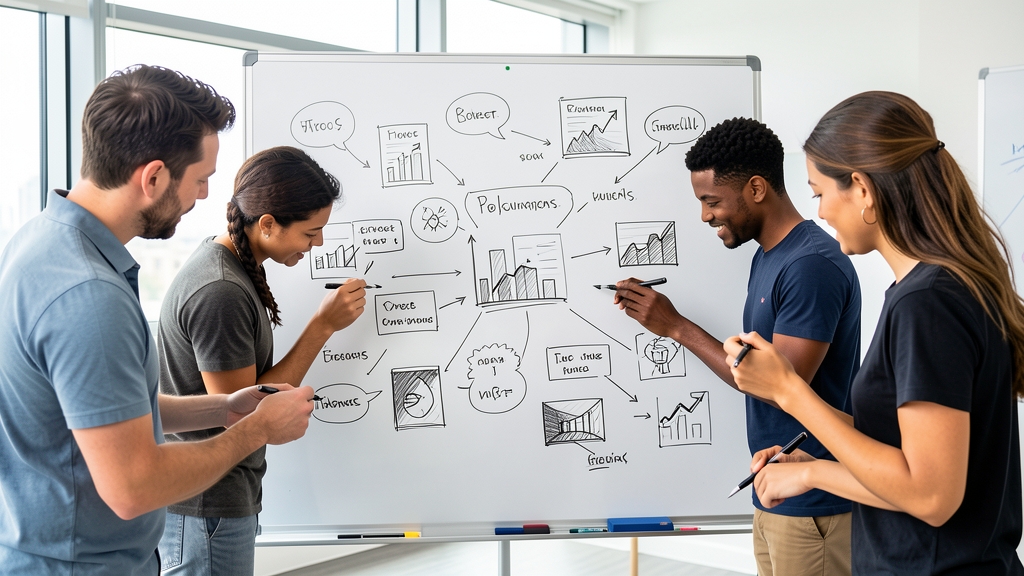
Canva is a browser-based, drag-and-drop design tool built around templates. You pick a layout, swap in your text and images, and download. It’s fast and friendly for non-designers.
Photoshop is Adobe’s professional image editor and the industry standard for photo retouching and compositing. It gives you full control over every pixel through layers, masks and smart objects, but it takes time to learn.
Designstager is an all-in-one AI creative platform. Instead of starting from a blank canvas or a template, you describe what you need and the AI builds it: presentations, documents, charts, images, videos and audio. Everything stays editable, and you can download in the formats you already use, such as PowerPoint, Word and PDF.
Pricing
All three have a free way to start. Photoshop is the most expensive for ongoing use.
| Tool | Free option | Paid plan (US prices, before tax) |
|---|---|---|
| Canva | Free plan | Pro: $18/month, or $144/year (checked Oct 2026) |
| Photoshop | 7-day free trial | Photoshop alone: $22.99/month on an annual plan. Photography plan with Lightroom: $19.99/month (checked Nov 2026) |
| Designstager | Start free, no credit card needed | Monthly subscription with unlimited downloads (see pricing) |
Prices differ by country, so check each pricing page for your local price.
Ease of use

Designstager and Canva can be used on day one. Photoshop takes weeks to learn properly.
- Canva: Drag and drop. Its AI (Magic Design) can draft a deck from a prompt, but you usually adjust layouts, fonts and content by hand afterwards.
- Photoshop: A steep learning curve. Layers, masks, blend modes and selection tools take real practice before the results look professional.
- Designstager: You type what you need, or paste your data or text, and the AI does the writing, layout and design. You then review and edit. Each tool is built for one output (deck, document, chart), so the result is closer to finished on the first try.
Features: what each tool does best
Canva does best: social media posts, flyers, posters and quick marketing graphics from a huge template library. It also has simple video editing, brand kits and AI tools on paid plans.
Photoshop does best: photo retouching, compositing, masking and precise colour work. It also has generative fill and plugin support. Note that Adobe has removed Photoshop’s 3D features, so it is no longer a tool for 3D work.
Designstager does best: finished, ready-to-use content created by AI.
- AI Presentation Maker: type a prompt and get a fully designed, editable deck you can download as PowerPoint (.pptx).
- AI Document: proposals, reports, resumes, cover letters, newsletters and 50+ other document types. The AI writes them, you review the text, then it designs every page. Download as editable Word, PDF, PNG, JPG, SVG or print-ready TIFF.
- AI Charts: paste a table from Excel or Google Sheets, type your numbers or describe the chart. Choose from 30+ chart types, including Sankey, waterfall, treemap and Gantt. Export as an editable PowerPoint chart, Word, PDF, PNG or SVG.
- AI Images, AI Video and AI Audio & Voice: visuals and product shots, short video clips, voiceovers, music and voice cloning.
- Template Matcher: describe what you need and get matched with one of 500+ professional templates.
- A free PowerPoint Add-in, plus support for 46 languages.
Designstager is not a photo editor. For detailed retouching, Photoshop is still the right tool.
Collaboration, performance and file formats

- Canva runs in the browser and is strong on real-time collaboration: several editors, comments and shared folders. Speed depends on your internet connection.
- Photoshop runs on your computer, so large files use your own CPU and GPU. It offers cloud documents and shared libraries, but team editing is less smooth than in Canva. It handles PSD, RAW and TIFF, among other formats.
- Designstager runs in the browser, and the AI does the heavy work on its servers, so you don’t need a powerful computer. Its main strength is output: editable PowerPoint and Word files that slot straight into the tools your team already uses.
Side-by-side comparison
| Canva | Photoshop | Designstager | |
|---|---|---|---|
| Best for | Social posts, flyers, quick graphics | Photo editing, retouching, compositing | AI-built presentations, documents, charts, video and audio |
| How you work | Edit a template by hand, with AI helpers | Edit pixels by hand | Describe it, AI builds it, you refine |
| Learning curve | Low | High | Low |
| Runs on | Browser and apps | Desktop, web and mobile | Browser, plus a PowerPoint Add-in |
| Deck from a text prompt | Yes (Magic Design). PowerPoint export on paid plans; layouts can shift | No | Yes, downloads as an editable PowerPoint (.pptx) |
| AI-written and designed documents | Partly: AI drafts text, you lay out the pages | No | Yes, 50+ types, editable Word or PDF |
| Charts from your data | Yes, chart elements you fill in | No | Yes, 30+ types, with AI-written title and insights |
| Professional photo retouching | Basic | Yes, industry standard | No |
| Free way to start | Free plan | 7-day trial | Free, no credit card |
Sources: Canva presentations, Canva Magic Design guide.
Which should you choose?

Pick by the job, not the brand.
| Your job | Best tool |
|---|---|
| Instagram post, flyer or poster from a template | Canva |
| Retouch product photos or build a photo composite | Photoshop |
| Pitch deck, sales deck or report presentation | Designstager AI Presentation Maker |
| Business proposal, report, resume or cover letter | Designstager AI Document |
| Turn spreadsheet numbers into a presentation-ready chart | Designstager AI Charts |
| Voiceover, background music or a short video clip | Designstager AI Audio or AI Video |
Many teams use two of these together. For example, they edit product photos in Photoshop, then drop them into a Designstager deck or proposal.
FAQ
Is Canva better than Photoshop?
For quick, template-based graphics, yes. For professional photo editing, no. Photoshop gives far more control.
Can Canva replace Photoshop?
Not for detailed retouching or compositing. It covers most everyday social media and marketing graphics.
Is there a tool that makes presentations and documents with AI?
Yes. Designstager builds a full, editable PowerPoint deck from a prompt, and writes and designs Word documents like proposals and reports.
Does Photoshop still have 3D?
No. Adobe discontinued Photoshop’s 3D features, starting with version 22.5 in August 2021.
Is Designstager free?
You can start free with no credit card. A paid monthly plan unlocks unlimited downloads.
Conclusion
Canva and Photoshop are both excellent at what they were built for: quick template graphics and professional photo editing. Most business content today is something else: decks, proposals, reports, charts and short videos. That’s where Designstager saves the most time. You describe what you need and get an editable, professionally designed file in minutes.
Try it on your next project. Start creating free at Designstager. No credit card needed.